



Digital Trends may earn a commission when you buy through links on our site. Why trust us?
A small shortcut with a big payoff, Microsoft’s latest Word update removes friction from one of the most common document tasks.
Microsoft 365 Insider Blog
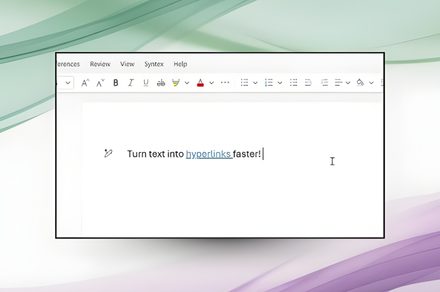
Microsoft is rolling out a new, faster, and more efficient way to add hyperlinks in Word. Instead of selecting text, opening the Insert Link dialog, and inserting a URL, users can now select text and paste a link directly over it; Word automatically converts it into a hyperlink.
Whether you’re using the software on a Windows PC/laptop or a MacBook, all you have to do is copy the concerned link, highlight a word or phrase, and press Ctrl + V or Cmd + V, and Word takes care of the rest.
Digital Trends
Adding hyperlinks in Word just got a lot faster
No more pop-ups, no extra menus, and no breaking the typing flow, which is one of the most crucial aspects of writing in a word processing software you’re expected to live in for hours daily. Previously, pasting a link over the selected text would overwrite it entirely.
According to a Microsoft community post, the new hyperlinking feature is available to all Word for Web users. It is also rolling out to users running Word for Windows (version 2511, Build 19530.20006 or later) and Word for Mac (Version 16.104, Build 25120915 or later).
Whether you’re a student, a working professional, or someone like me who writes articles for a living and uses the hyperlink feature hundreds of times in a day, the change makes it easier to add references, Google Drive links, YouTube videos, or app store links into the text in Word.
justplay1412 / Shutterstock
It’s a small change, but it eliminates one of the Word’s most frustrating micro-problems. If you’ve ever sighed while opening Word’s Insert Link box for the hundredth time in a day, the new hyperlinking feature is for you.
Moreover, this is a quality-of-life improvement that makes Word behave more like a contemporary word processing app, faster and smarter.
For more than five years, Shikhar has consistently simplified developments in the field of consumer tech and presented them…
Your Zenbook Duo’s smaller hinge gap makes dual screens feel seamless
The new hideaway hinge is designed to make the Zenbook Duo feel like one continuous workspace, with a minimal 8.28 mm gap for people who multitask across two screens.
Asus is refining the Zenbook Duo’s signature two-display setup with a smaller seam between panels in CES 2026. The headline change is the Zenbook Duo hinge gap, now listed at 8.28 mm, which should make it less distracting when you’re dragging windows, timelines, and toolbars from one screen to the other.
That matters because dual-screen laptops can feel great until your eyes keep tripping over the break. Close the gap, and the Duo’s layout starts to behave more like a single, oversized canvas, especially for split-screen work like notes on one panel and a document or browser on the other.
Read more
This snap-on accessory brings touch to your MacBook without breaking the bank
The Magic Screen will soon be available via Kickstarter.
Recent leaks suggest Apple may finally be rethinking its long-held opposition to touchscreen displays on MacBooks. The company is reportedly planning to offer a touch-sensitive panel on the long-rumored OLED MacBook Pro, which is expected to launch later this year or early next year. If you like the idea of a touchscreen MacBook but are tired of waiting for Apple to bring it to market, Intricuit has a clever solution.
The company has unveiled an accessory called the Magic Screen at CES, which adds touchscreen functionality to existing MacBook models. The Magic Screen attaches seamlessly to the MacBook’s display using magnets and connects via USB-C to instantly enable basic touch input, no setup or third-party apps required. Advanced functions and customizations, however, are unlocked through Magic Screen’s companion app.
Read more
Acer thinks you need a gaming monitor with a 1,000Hz refresh rate at any cost
Acer’s Predator XB273U F6 joins the growing 1,000Hz club, proving that extreme refresh rates aren’t about bragging rights alone.
After Samsung and HKC, the Taiwanese tech manufacturer Acer has launched a new 1,000Hz gaming monitor. At CES 2026, the company unveiled the Predator XB273U F6, which looks like a fairly conventional 27-inch monitor at first glance, but it can switch from a 500Hz refresh rate to 1,000Hz in no time.
At 500Hz, the Acer Predator gaming monitor provides the native resolution of 2,560 x 1,440 pixels. It also offers other gaming-centric features, such as AMD FreeSync Premium and a minimum response time of 0.5ms.
Read more